01 · CHECK
Every item gets a verdict
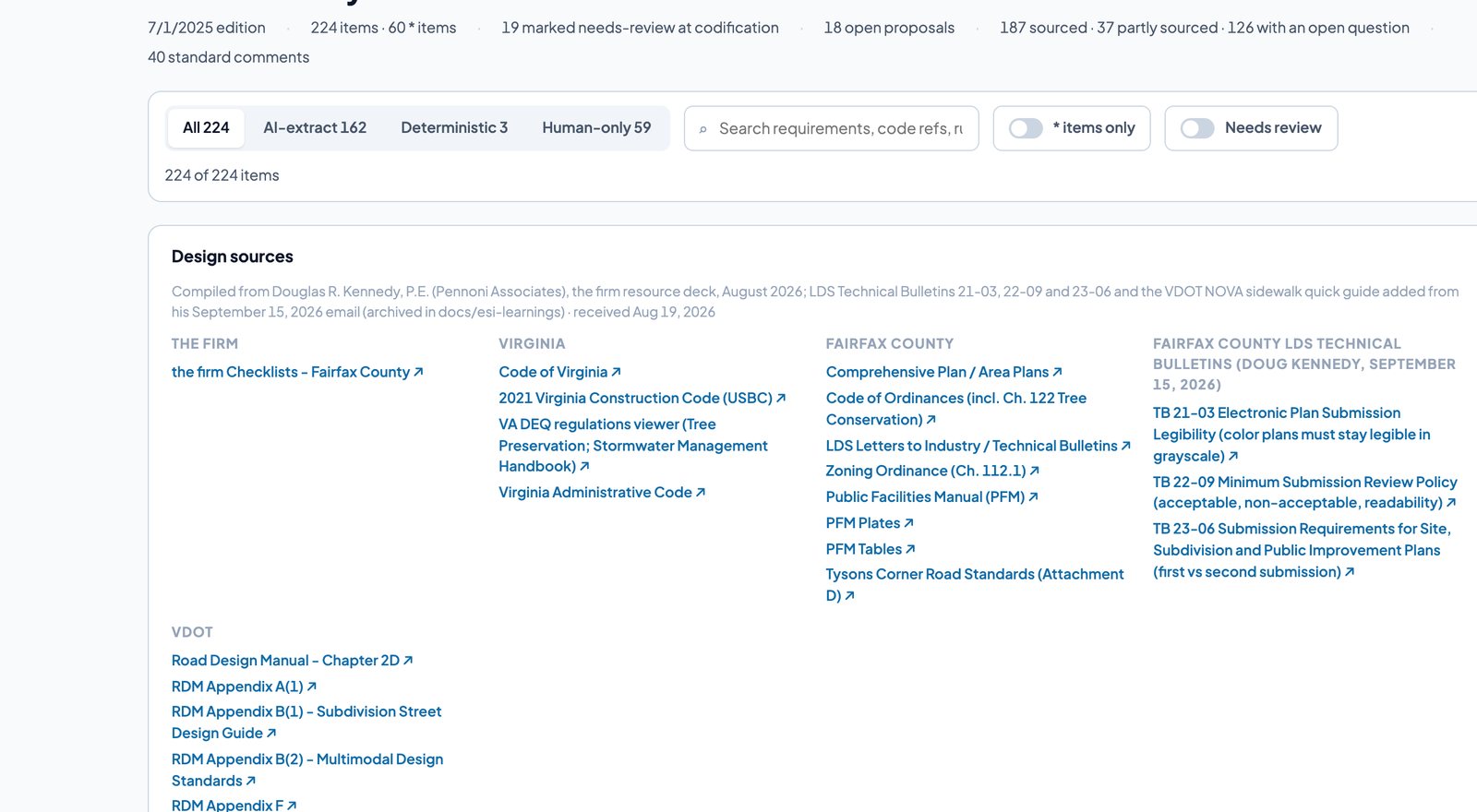
All 224 items on the Fairfax County site plan checklist: pass, fail, needs review or not applicable, with a confidence.
ChkPlan reads a submitted plan set against the jurisdiction's own applicant checklist, item by item. Every finding points to the sheet and the text it was found in, with a proposed fix. Your reviewer approves every comment before the letter goes out.
Access is by invitation. A person reads every request.
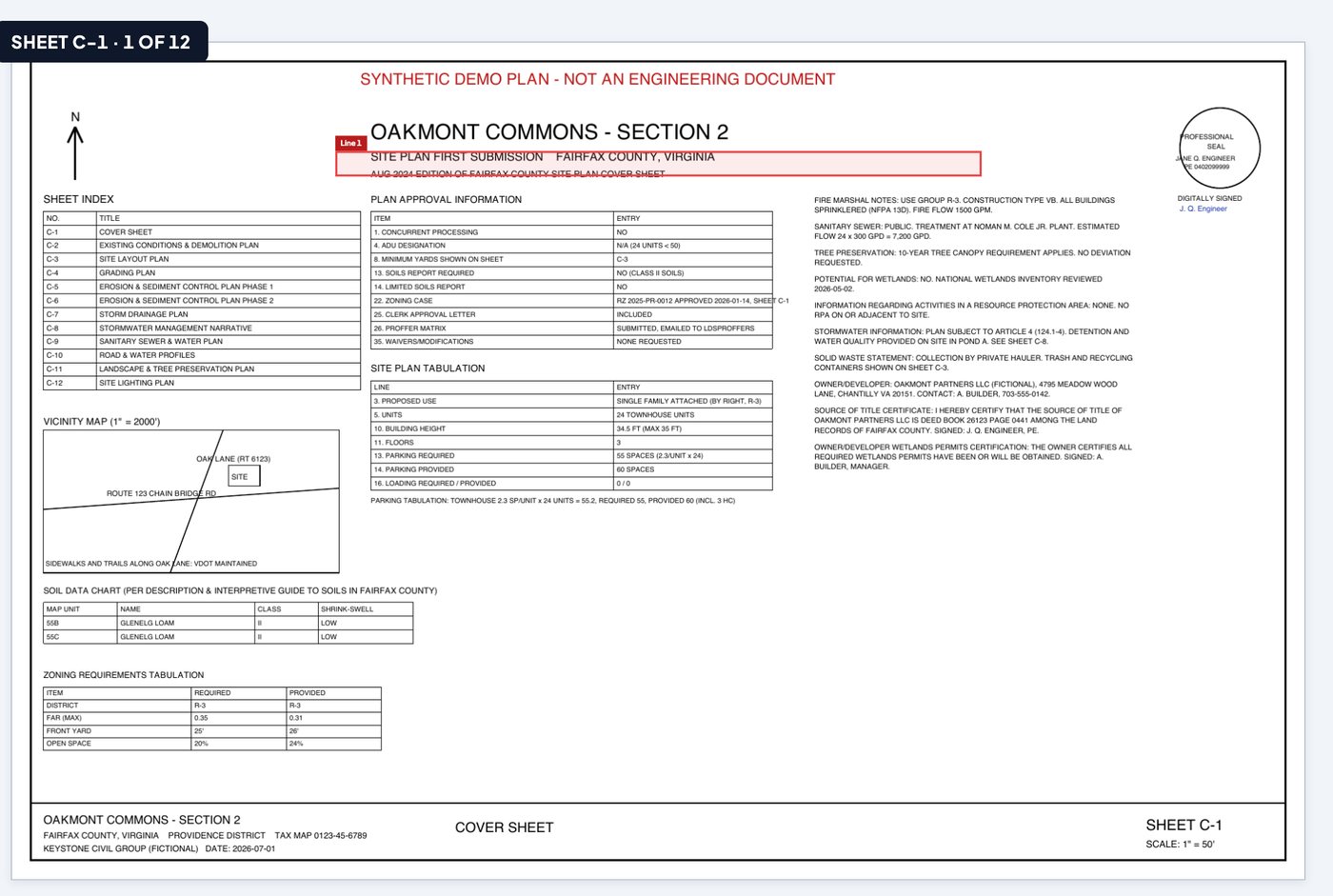
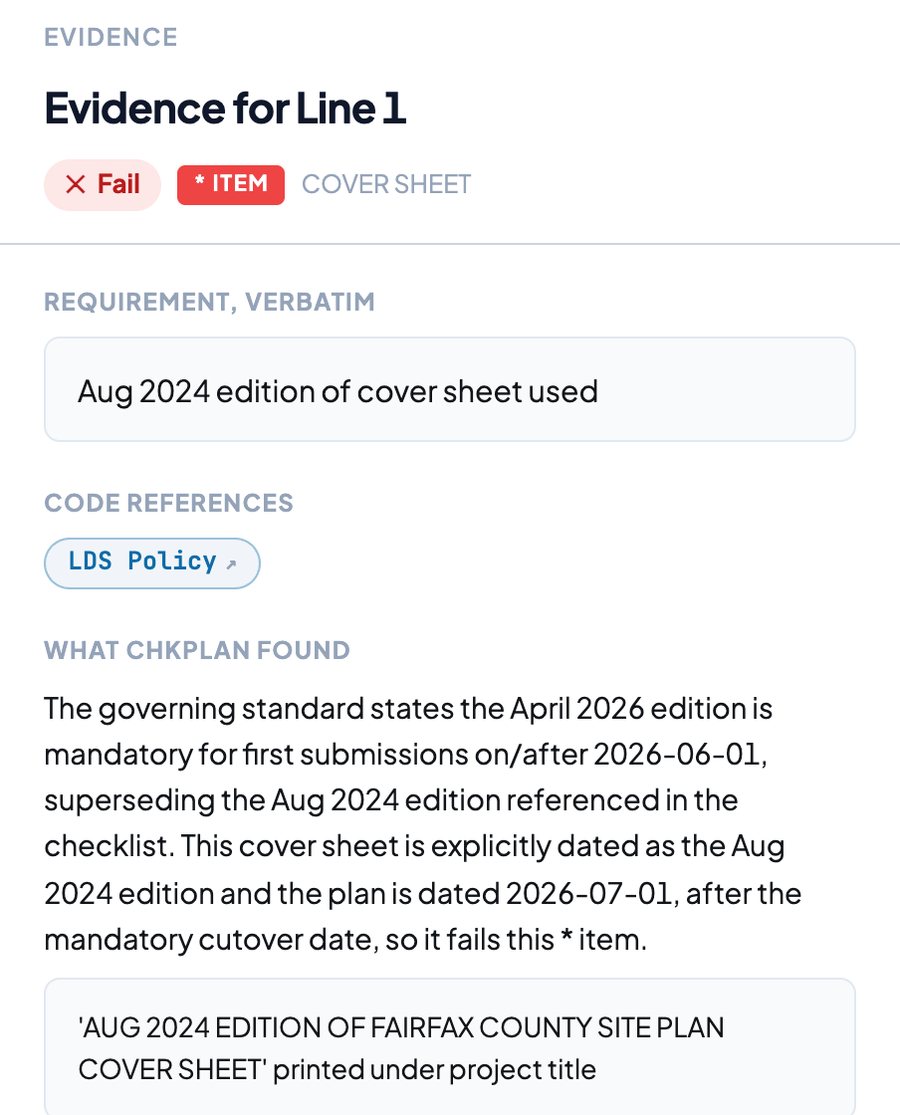
The same minimum submission review your team does today, with the reading done before you sit down.
The plan PDF and the applicant's completed checklist. ChkPlan splits the sheets, reads the text, classifies each sheet, and checks the package itself: duplicate, unreadable or unnumbered sheets are flagged before any review starts.
Each checklist item is evaluated against the sheets it applies to. The result is Pass, Fail, Needs review or Not applicable, with a confidence, the evidence outlined on the sheet, and the applicant's own checklist reference cross-checked.
Recommendations arrive in a review queue. Approve, change or reject each one with the evidence beside it. Confident recommendations can be approved in bulk; the rest are one at a time. Nothing moves without a person.
Approved comments become the comment letter in your firm's format, with the requirement, the finding, the fix and the code reference. Export the issues as a spreadsheet shaped for the county system. Resubmissions are back-checked against the prior letter.
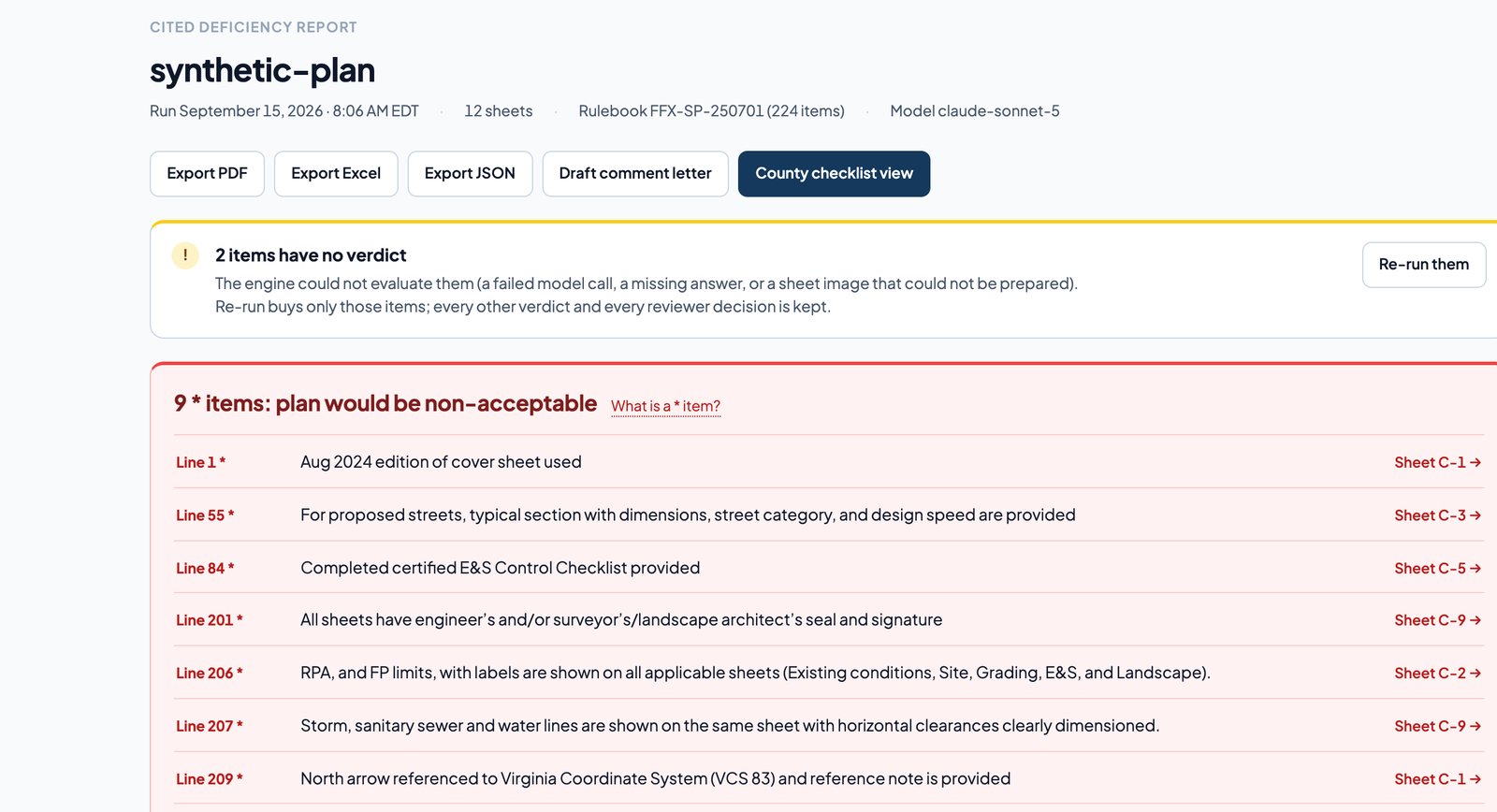
Items that would make the plan non-acceptable come first. Every row names the checklist line, the requirement verbatim and the sheet, and opens straight to the evidence.
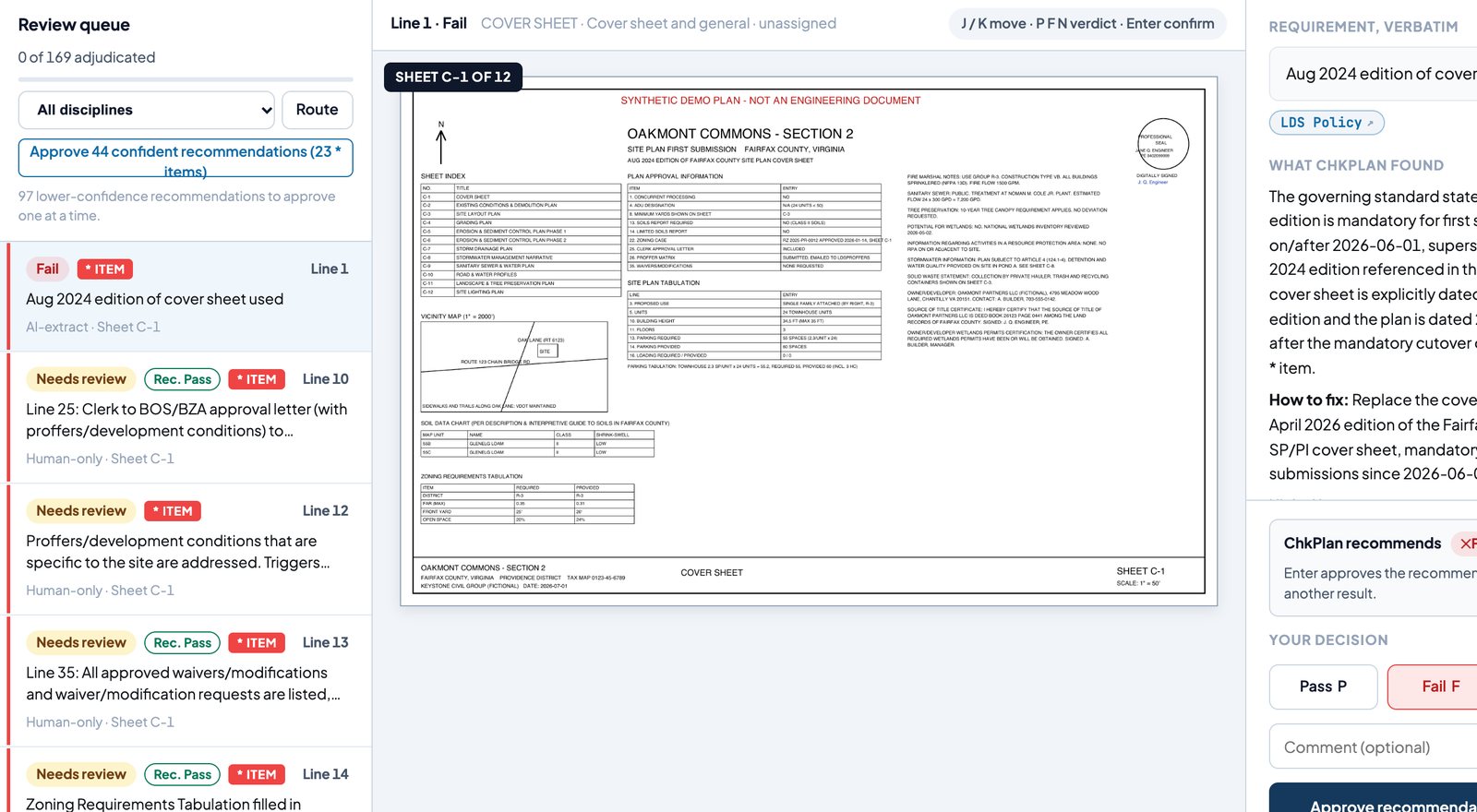
Move through findings with the keyboard. The sheet, the requirement, what ChkPlan found and how to fix it sit on one screen. Pass, Fail or Needs review in a keystroke, with an optional comment that carries into the letter.
The checklist lives in the product as items with their code references and the standard each one is checked against. When the county changes an edition, the rulebook changes with it, and every run records which edition it used.
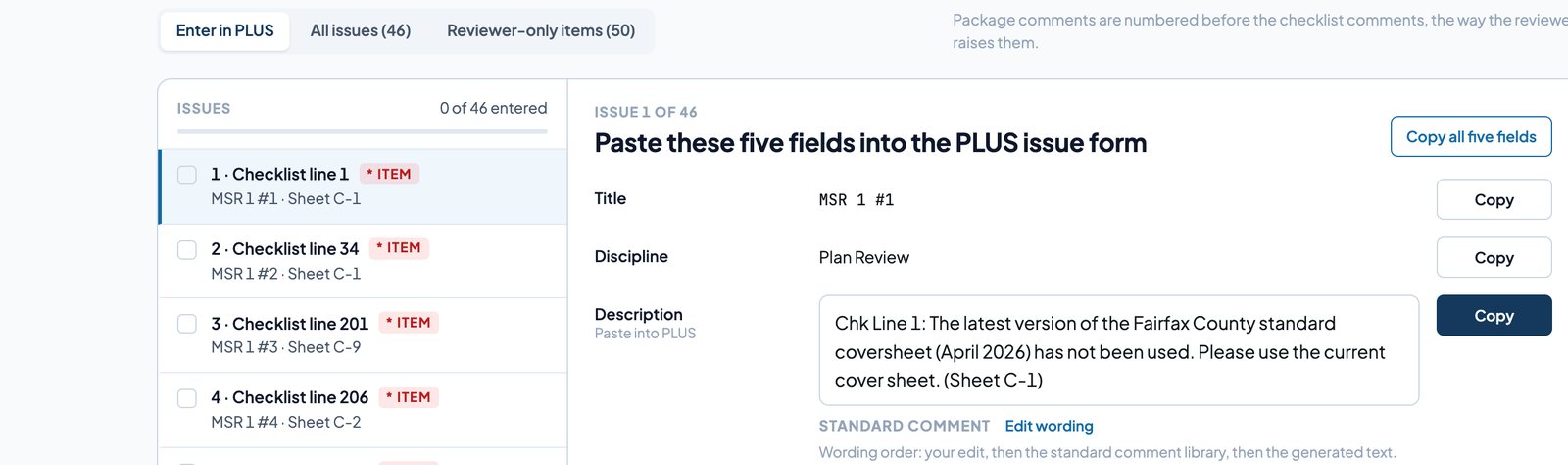
Approved comments become the letter in the firm's format: requirement, finding, fix and code reference, in the order the firm raises them. Beside it, each issue is laid out as the five fields the county's PLUS system asks for, with a Copy button on each, so entering a review takes minutes instead of an afternoon of retyping.
The firm that reviews, the department that permits, and the team that submits all read the same checklist. ChkPlan gives each of them the same evidence.
Third-party and private-provider firms reviewing for jurisdictions. The reading, the cross-check against the applicant's checklist and the first draft of every comment are done before your reviewer opens the set. Your reviewer's judgment is what goes out, in your format, under your name.
County and city plan review offices. Every comment carries its checklist line, its code reference and its evidence, so applicants get the same answer no matter which reviewer picked up the set, and every decision is on an audit trail you can produce.
Design firms and owners preparing a submission. Run the set against the same checklist the reviewer will use, fix the misses, and submit a set that clears minimum submission review the first time.
| Question | Answer |
|---|---|
| Where are plans stored? | In the United States, on encrypted storage in a single-tenant environment per customer. |
| Are plans used to train models? | No. Model calls go to a provider under terms that exclude training, with short retention. ChkPlan keeps the model's answer and the evidence it cited, not the provider. |
| Who can sign in? | Invited accounts only, with roles for administrators, reviewers and users. Sessions are server-side, expire, and can be revoked by an administrator. |
| What is logged? | Every verdict, reviewer decision, override and issued file, in a hash-chained decision log with a SHA-256 record of every file issued. |
| What happens before a model sees a sheet? | The PDF is checked for integrity, encryption, page count and a readable text layer. Corrupt or encrypted files stop there. |
Fairfax County, Virginia site plan first submissions are in production, on the county's July 2025 checklist edition. Other site plan, subdivision and building checklists are added as rulebooks. Tell us which jurisdiction you review for when you request access.
We do not publish a single accuracy number, because it depends on the checklist, the plan set and the reviewer's standard. Instead, every run records each item's verdict, confidence, evidence and the reviewer's final decision, and the analytics screen shows your own confirmed, overturned and flagged rates over time. Judge it on your sets.
Yes. The reviewer decides every comment. What changes is the order of work: the reading, the checklist cross-check and the first draft are done when the reviewer sits down, and each finding opens to its evidence on the sheet.
Approved comments export as a spreadsheet with one row per issue in the shape the county system expects: title, discipline, description with the checklist line and sheet, and the modification flag. The reviewer pastes rows in; nothing is written to the county system directly.
A 30 to 40 sheet site plan runs in the background while you work, usually well under an hour. You see progress sheet by sheet and section by section, and can start adjudicating as sections finish.
Pricing is per firm or department, based on review volume and the number of rulebooks. Request access and we will send a quote with the invitation.
ChkPlan runs as a hosted, single-tenant service in the United States today. A local installation on your own hardware exists for pilots that cannot send plans off-site; ask when you request access.
Tell us who you review for and how many sets a month. We will set up an account, load your checklist, and walk through the first run with your reviewer.